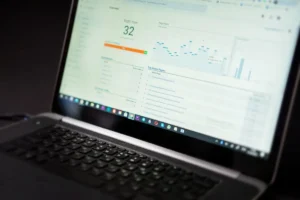
A Google search position checker shows where your page appears in Google for a target keyword, so you can verify rankings, spot movement, and review visibility without guessing. Keyword Position Tool is built for this exact job: enter a keyword, check the current position, compare changes over time, and use the result to decide what to update next.
What a Google search position checker does
A position checker tracks the ranking of a page for a specific search term in Google. Instead of manually searching and scrolling through results, you can review the current position in a faster, cleaner way. This matters because small ranking changes often affect clicks, leads, and sales. A page moving from position 11 to 8 can become much more visible. A page slipping from 3 to 6 can lose traffic even if it still looks “high” on paper.
Keyword Position Tool helps you answer practical questions quickly:
- Is this page ranking for the keyword I targeted?
- Did my position improve after a content update?
- Which keywords are stable, rising, or falling?
- Which pages need attention first?
When to use a keyword position checker
Use a Google search position checker any time ranking changes could affect performance. For most sites, that means checking after publishing new content, updating existing pages, changing titles or headings, improving internal links, or reviewing a traffic drop. It is also useful for routine daily or weekly monitoring when you want a simple view of ranking movement.
After publishing a new page
A new page may get indexed quickly but still rank poorly at first. Position checks help you see whether Google is testing the page, whether it is gaining traction, and whether the keyword target is realistic.
After updating content
If you rewrite copy, improve topical depth, adjust metadata, or add supporting sections, a position checker shows whether those changes are helping. This is one of the most practical daily uses because it connects edits to ranking movement.
During a visibility review
Sometimes the issue is not one keyword but overall search presence. Checking positions across a group of terms helps you identify patterns: one page may be slipping across multiple keywords, while another is steadily improving.
When rankings move unexpectedly
If clicks drop or conversions soften, checking current positions is one of the fastest ways to confirm whether search visibility changed. It gives you a starting point before you spend time on deeper analysis.
How Keyword Position Tool helps with daily ranking checks
Keyword Position Tool is designed for users who want a straightforward ranking workflow. The goal is not to bury position data under dashboards or vague scoring. The goal is to show where a keyword stands, whether it moved, and what to review next.
For practical use, the tool supports a simple routine:
- Choose the keyword you care about.
- Check the current Google position for the matching page.
- Compare with your previous check.
- Flag gains, drops, and no-change terms.
- Prioritize updates based on movement and business value.
This makes it useful for solo site owners, content teams, affiliate publishers, local businesses, and in-house marketers who need quick ranking confirmation without extra complexity.
How to review ranking movement in a useful way
Position data is most useful when you interpret it in context. A move from position 40 to 22 is progress, but it may not change traffic much yet. A move from 9 to 5 is usually more meaningful because it improves first-page visibility. A drop from 4 to 8 may deserve immediate attention if the keyword drives leads or revenue.
Focus on movement bands
Instead of reacting to every small fluctuation, group keywords by practical ranges:
- Positions 1-3: protect and maintain
- Positions 4-10: improve for stronger click potential
- Positions 11-20: push onto page one
- Positions 21+: reassess page quality, relevance, or keyword fit
This approach keeps ranking checks tied to action rather than vanity reporting.
Match the keyword to the right page
If a keyword is not improving, the problem may not be authority alone. The wrong page may be trying to rank. A position checker helps you confirm whether the intended page is appearing, or whether Google prefers another page from your site. That is often a sign to consolidate content, improve internal linking, or sharpen search intent alignment.
Short workflow example
You update a service page targeting “emergency roof repair” by rewriting the intro, adding pricing guidance, expanding FAQs, and linking from related pages. Three days later, you use Keyword Position Tool to check the keyword. The page moves from position 12 to 9. A week later, it reaches 7. That tells you the update likely improved visibility, and the page is now worth further refinement to push toward the top five.
What to do after checking keyword positions
A ranking check should lead to a next step. If a keyword improves, protect that page by keeping it current and strengthening related internal links. If a keyword stalls near the bottom of page one, improve click appeal with a better title and clearer page structure. If a keyword drops, review whether competitors added stronger content, whether your page lost relevance, or whether another page on your site is competing for the same term.
Good uses for daily checks
Daily position checks are helpful when you are actively working on important pages, monitoring recent updates, tracking seasonal terms, or watching high-value keywords where small ranking shifts matter. For lower-priority content, weekly checks are often enough.
Keep checks tied to business value
Not every ranking change deserves the same attention. Prioritize keywords that lead to sales, enquiries, bookings, or qualified traffic. A practical position checker is most valuable when it helps you decide where to spend time first.
FAQ
How accurate is a Google search position checker?
It is useful for tracking ranking direction and current visibility for target keywords. Results can vary by location, device, and search context, so the best use is consistent monitoring over time.
How often should I check keyword positions?
Check daily for important pages you are actively improving, and weekly for broader monitoring. The right schedule depends on how quickly ranking changes affect your traffic or leads.
Why did my keyword position change after updating a page?
Google may be reassessing the page after the update. Movement can be positive or negative at first. Rechecking over several days helps confirm whether the change is temporary or part of a trend.
What is a good keyword position to aim for?
Positions 1 through 10 are generally the main target because they place your page on the first page of results. For many sites, moving from positions 11-20 into the top 10 is the most practical short-term win.