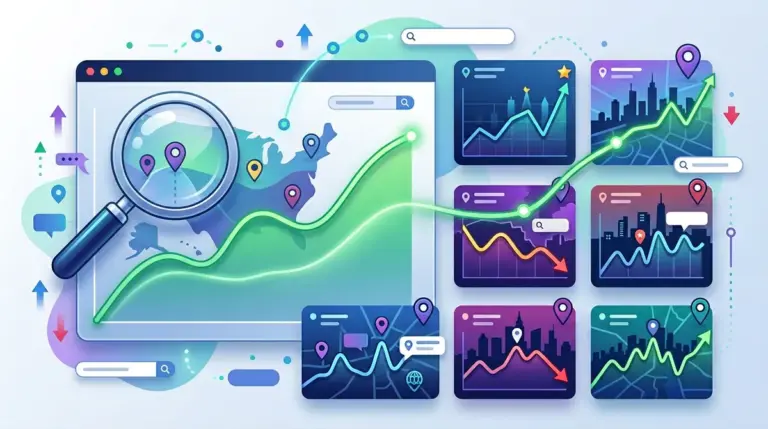
Local SEO performance is not a binary state of ranking or not ranking. Because Google’s local algorithm prioritizes proximity, prominence, and relevance, a business might appear in the top spot for a user standing in a specific ZIP code while vanishing entirely for a user three miles away. To manage these campaigns effectively, a keyword position tool must be used as a diagnostic instrument rather than a simple scoreboard. For agencies and site owners, the goal is to bridge the gap between "ranking well" and "ranking where the customers actually live." To truly gauge success, a keyword position tool must help you measure ranking visibility more accurately across diverse customer locations.
Configuring Granular Location Settings
The primary failure in local SEO tracking is monitoring at the national or state level. If you are optimizing a plumbing service in Chicago, tracking "plumber" across the United States provides zero actionable data. Your keyword position tool must be configured to the narrowest possible geographic radius. This usually means inputting specific ZIP codes or city-level parameters that align with the business’s service area. Your keyword position tool must be configured to the narrowest possible geographic radius, allowing you to track keyword positions by city.
Practical Application: When setting up your project, create separate tracking instances for different neighborhoods if the business operates in a large metropolitan area. This allows you to identify "ranking dead zones" where your local citations or Google Business Profile (GBP) signals might be weak compared to a competitor located closer to that specific neighborhood’s centroid.
Distinguishing Between Local Pack and Organic Rankings
A standard keyword position tool often provides two distinct sets of data for local queries: the Local Pack (the "Map Pack") and the traditional blue-link organic results. These require different optimization strategies. If your tool shows you are in position #1 for organic search but position #8 for the Local Pack, your website content is strong, but your local signals—such as review velocity, GBP completeness, or local backlinks—are failing.
- Local Pack Tracking: Focuses on the top three map results. This is where the majority of "near me" click-through rates (CTR) occur.
- Organic Local Tracking: Focuses on the results below the map. High rankings here often feed into the Local Pack’s "prominence" score.
- SERP Feature Analysis: Monitor if your listing includes "call" buttons or "direction" links, as these are the primary conversion drivers for mobile users.
Warning: Do not rely solely on "average position" metrics for local campaigns. A business can have an average position of 2.0 while being invisible in 40% of its target service area. Always segment your data by specific location points to see the true distribution of your visibility.
Monitoring Mobile-First Local Performance
Local search is predominantly mobile. Users searching for "emergency locksmith" or "best coffee shop" are frequently doing so on the move. Your keyword position tool should allow you to toggle between desktop and mobile rankings. Discrepancies between these two are common; mobile results are more heavily influenced by the user's real-time GPS coordinates, whereas desktop results may rely on IP-based location data which is often less precise.
If your mobile rankings lag behind desktop, it is a signal to audit your site’s Core Web Vitals and mobile UI. Local users have a high bounce rate if a site fails to load quickly or if the "click-to-call" button is buried. Use the tool to verify that your mobile visibility remains stable during peak business hours when search volume spikes.
Identifying Hyper-Local Competitor Shifts
In local SEO, your competitors aren't just the big national brands; they are the "mom and pop" shops three blocks away. A keyword position tool helps you identify "rising stars" in the local SERPs. By tracking the top 10 positions for your core keywords, you can see when a new competitor begins aggressive local link building or starts generating a high volume of reviews.
Best for: Identifying "Review Moats." If a competitor jumps from position #5 to #2, check your tool’s SERP snapshot feature to see if they recently updated their GBP photos or received a surge of keyword-rich reviews. This data allows you to pivot your strategy before you lose the top spot.
Optimizing for Proximity and Search Intent
Search intent changes based on how a keyword is phrased. "Roofing repair" might trigger a different set of local results than "roofing contractors near me." Use your keyword position tool to track variations of your primary services. This helps you understand which pages on your site Google prefers for specific intents.
For example, if "service + city" keywords rank well but "near me" keywords do not, your local landing pages are likely well-optimized for SEO, but your Google Business Profile may lack the proximity signals needed to capture the immediate, location-aware traffic. Use the tool to map keywords to specific landing pages and ensure the NAP (Name, Address, Phone) data on those pages matches your GBP exactly.
Building a Local SEO Reporting Cadence
Reporting for local clients requires a focus on "Share of Voice" within their specific territory. Instead of showing a list of 500 keywords, focus on the 10-20 "money keywords" that drive calls. Your reporting should highlight:
1. Map Pack Presence: Percentage of time the business appears in the top 3 results.
2. Keyword Reach: How many different ZIP codes the business is ranking in.
3. Competitor Comparison: A side-by-side view of your rank versus the three closest physical competitors.
Scaling Local Campaigns with Precision Data
To scale a local SEO campaign, you must move beyond reactive adjustments. Use the historical data in your keyword position tool to identify seasonal trends. If "landscaping services" begins to climb in the rankings every March, you should start your content and backlink push in January. By the time the search volume peaks, your position is already solidified.
Furthermore, use the tool to validate the ROI of your local citations. If you invest in a citation cleanup service, you should see a corresponding stabilization in your Local Pack rankings within 4 to 6 weeks. If the rankings remain volatile, the issue likely lies in your on-page technical SEO or a lack of localized content. The tool provides the objective data needed to stop guessing and start executing based on SERP reality.
FAQ (Local SEO Tracking)
How often should I check local keyword positions?
For most local businesses, a weekly check is sufficient. However, if you are in a highly competitive niche like legal or insurance, daily tracking is necessary to catch sudden drops caused by algorithm updates or competitor "review bombing" tactics.
Why does my tool show I am #1, but I don't see myself when I search manually?
This is usually due to "searcher bias." Google personalizes your manual search based on your browsing history and exact physical location. A keyword position tool uses "clean" browsers and specific geo-coordinates to provide an unbiased view of the SERP.
Should I track "near me" keywords separately?
Yes. "Near me" keywords rely heavily on the user's proximity to the business's physical address. Tracking these separately helps you understand the effective "radius" of your Local Pack visibility and whether you need to expand your local reach through more localized content or backlinks.
Can I track rankings for multiple business locations in one tool?
Most professional tools allow you to set up different projects or groups for each physical location. It is vital to keep these separate so that the data for a high-performing location doesn't mask the poor performance of a struggling branch.